Struggling to design your perfect garden? Garden Planner is the easy-to-use online garden layout tool that helps you create your dream backyard, flower bed or vegetable garden - no signup, no cost.
Start Designing – It's FreeNo signup required · 100% free · Works in your browser
Create your layout using a simple and intuitive drag-and-drop editor. No drawing skills needed.
Start designing with a growing collection of over 70 essential garden objects - from trees and patios to pools and furniture. Six categories cover the whole plan: grass, gravel and decking surfaces; fruit trees, shrubs, hedges and flower beds; paths, fences and walls; greenhouses, pergolas, pools and raised beds; outdoor furniture, grills and fire pits; plus text labels and measure lines.
Save your garden as PNG, PDF or SVG - or as a reusable project file. Share or print with one click. You can also export a structured layout prompt for AI analysis (ChatGPT, Gemini, Claude).
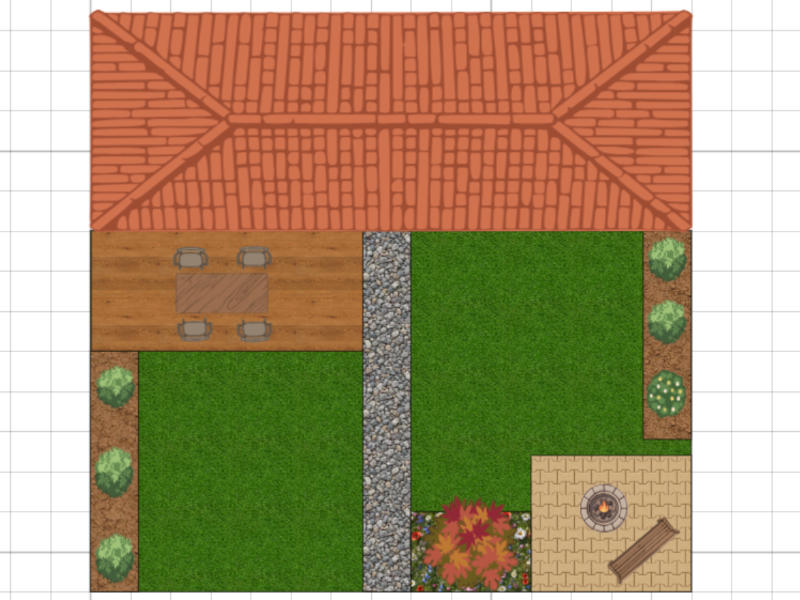
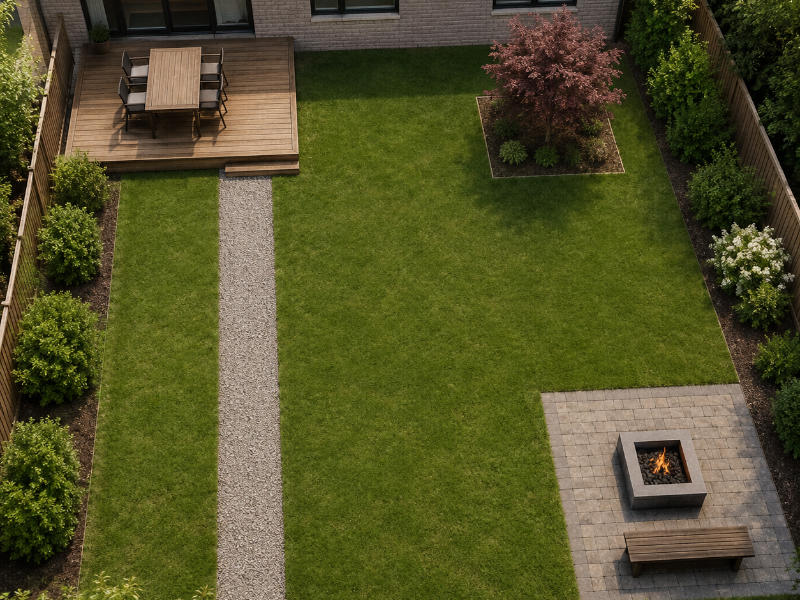
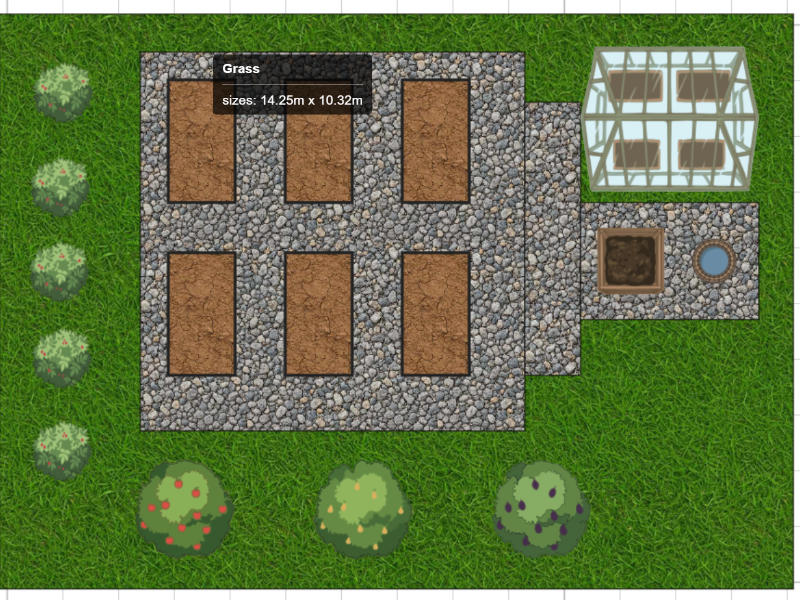
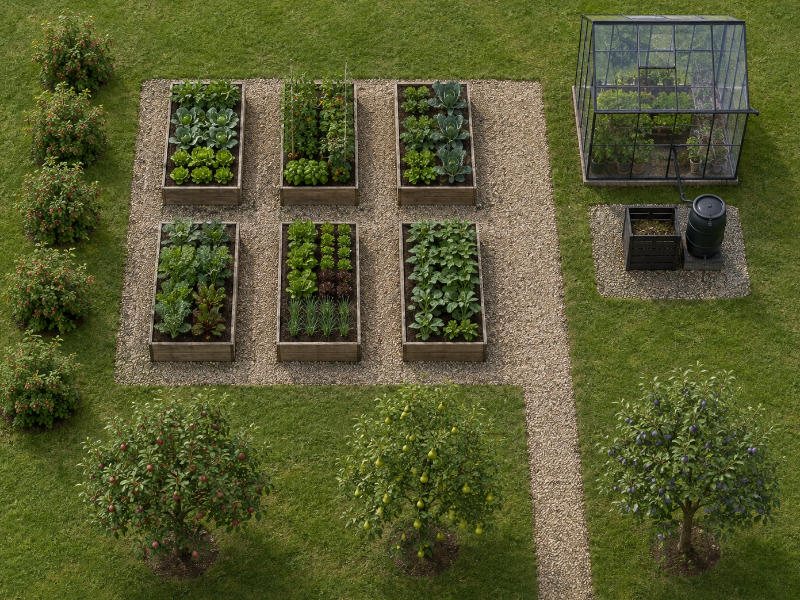
The same tool handles a courtyard the size of a parking space and a plot with an orchard. Here is what it looks like for the four gardens people plan most often - the layout you draw, and the visual you can generate from it.
Most backyards do not fail because of the planting - they fail because nobody decided where things belong. Garden Planner lets you settle the zoning first: where the lawn ends and the terrace begins, how wide the path to the shed needs to be, whether the fire pit sits far enough from the fence. Draw the plot once at real scale, then move whole areas around until the layout makes sense. It costs nothing to change your mind on screen, and a great deal to change it once the paving is laid.
A productive garden lives and dies by spacing. Raised beds that are too wide cannot be reached from the side, paths that are too narrow will not take a wheelbarrow, and a greenhouse in the wrong corner spends half the day in shade. Because every object is drawn to true scale, you can lay out beds, paths and a compost corner and check the real distances before you order a single plank. Fruit trees and berry shrubs are in the library too, so the whole growing year fits into one drawing.
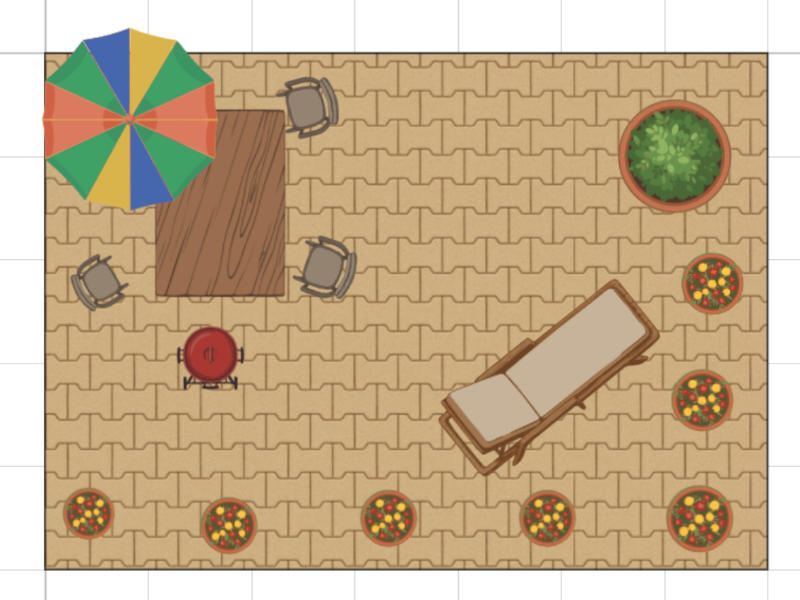
The smaller the space, the less room there is for guesswork. In a courtyard or a narrow city garden, thirty centimetres decides whether a bench fits or blocks the door. Garden Planner is at its most useful here: place the few elements you have room for, see them at their real footprint, and find out which arrangement actually leaves you space to walk. Potted plants, a compact tree, a small table and a paved corner are often the whole plan - and getting them right matters more than it does in a large garden.
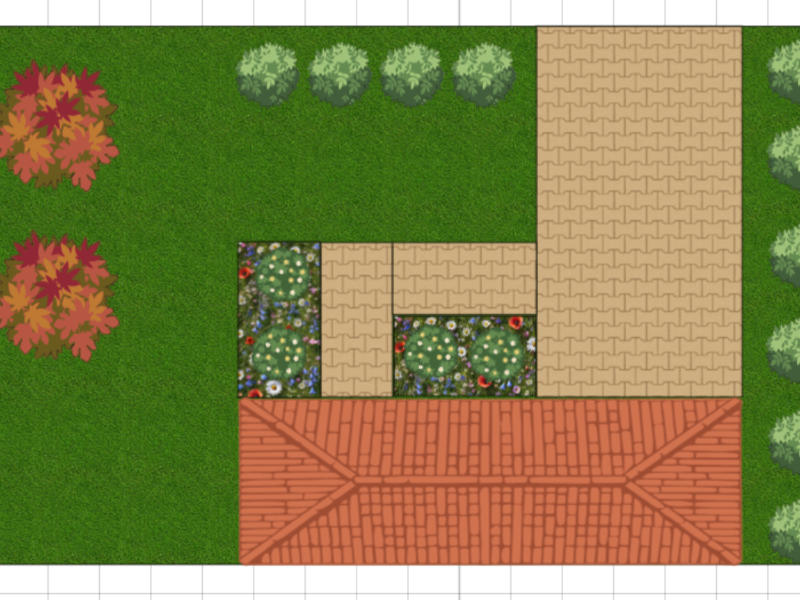
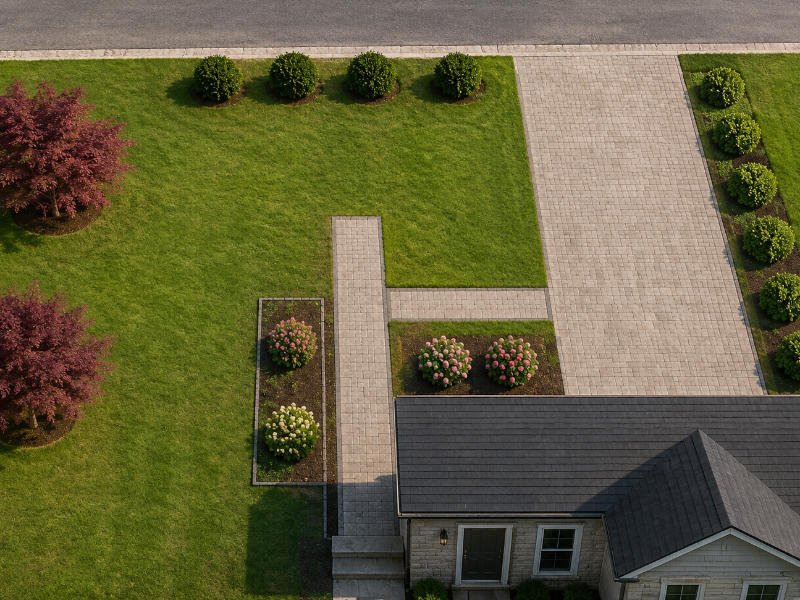
The front of a house is the part everyone sees and the part most people plan last. Garden Planner handles it exactly like a backyard: place the house outline, draw the driveway and the entrance path, then work out where hedges, flower beds and a tree can go without blocking access or sightlines. Export the finished plan as a PDF and you have something to hand to a contractor - or to hold up next to the real thing while you decide.
Visualizations are generated from your plan with an external AI image tool of your choice - results vary by tool and by prompt.
Begin with a blank plot, or let AI draft the first layout for you.
Every element is drawn to real-world scale and ready to place - nothing to download, nothing to configure. The library holds over 70 objects in six categories, covering everything from the ground surfaces up to the furniture on the patio.
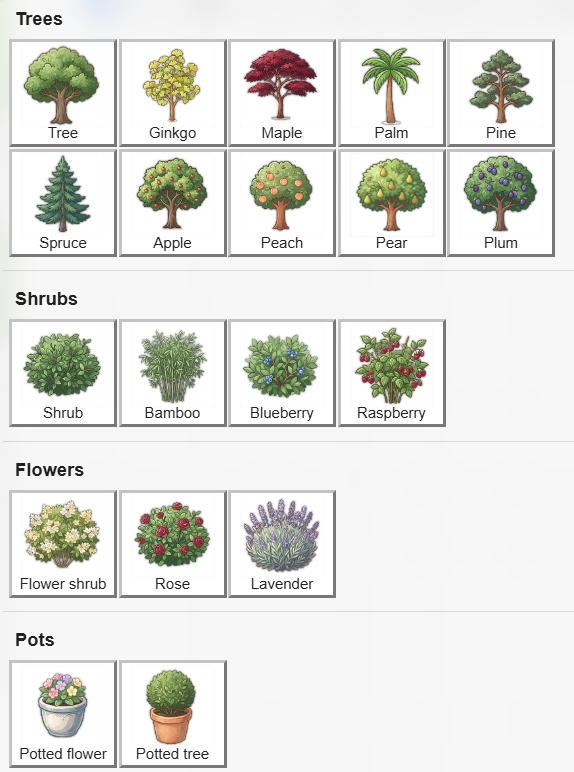
The plant group covers most of what actually grows in a garden. Ornamental trees include ginkgo, maple, palm, pine and spruce, while the orchard side offers apple, pear, peach and plum. Shrubs run from a plain garden shrub to bamboo screening and berry bushes - blueberry and raspberry. For colour there are flowering shrubs, roses and lavender, plus potted flowers and a potted tree for terraces and balconies.
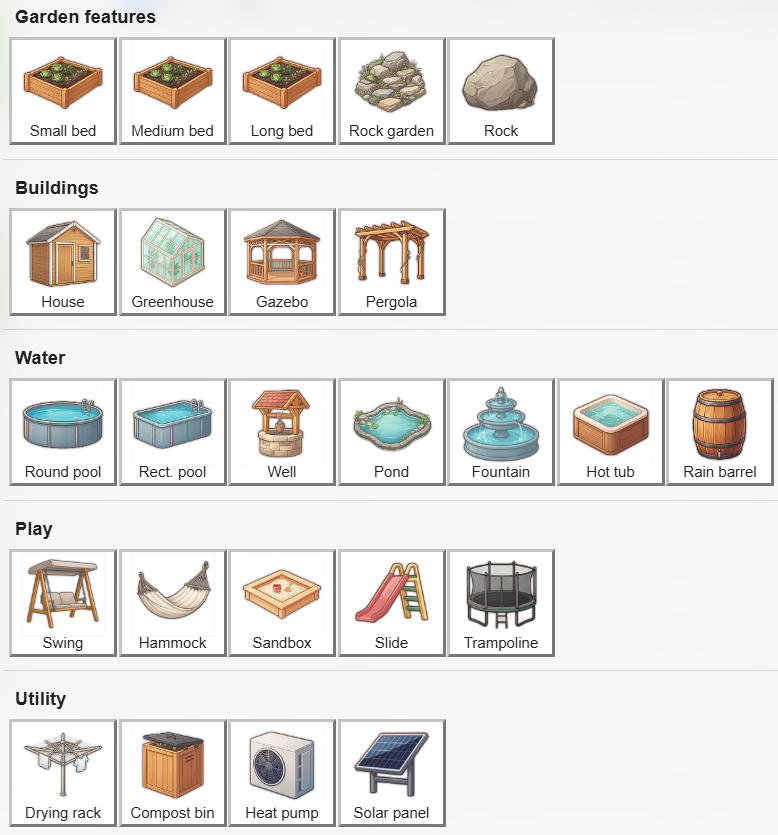
The largest group in the library. Raised beds come in small, medium and long, alongside a rock garden and loose rocks. Buildings include a house outline, greenhouse, gazebo and pergola. Water features cover round and rectangular pools, a well, a pond, a fountain, a hot tub and a rain barrel. For families there is a swing, hammock, sandbox, slide and trampoline, and the utility corner holds a drying rack, compost bin, heat pump and solar panel.
Grass, sand, soil, gravel, paving stones, wooden decking, water, flower beds and vegetable patches. Draw any shape and it fills with a matching texture.
Stone and sand paths, fences, walls, hedges, a garden stream and irrigation pipes - drawn as flowing lines that follow the shape of your plot.
Bench, chair, table, couch, sun lounger, parasol, barbecue, fire pit, statue and a dog house to finish the outdoor living area.
Circles, rectangles, triangles, octagons and free polylines, plus text labels, measure lines and your own uploaded images.
Watch how quick and intuitive it is to create your own garden layout using Garden Planner. This demo shows a full garden design process - from a blank canvas to a beautiful, functional space - in just 30 seconds.
Whether you're planning a small backyard, a vegetable garden, or a complete landscape renovation, Garden Planner gives you the freedom to visualize, adjust, and plan everything online - no downloads needed. Try it now and bring your outdoor ideas to life!
Generate a layout • Analyze your design • Visualize the result
Garden Planner works hand in hand with AI tools like ChatGPT, Gemini and Claude in three different ways. Every one of them is a ready-made prompt you copy and paste yourself - no accounts, no uploads and no design ever leaves your computer.
You do not have to start from an empty canvas. Describe the garden you want - or pick one of the ready-made generation templates - and let the AI draft the whole layout for you as importable JSON. Load it into Garden Planner and carry on designing from there.
Pick a generation template or describe your own garden
Paste the prompt into ChatGPT, Gemini or Claude
Save the returned JSON file
Import it into Garden Planner and refine
Ready-made generation templates:
An AI-generated layout is a starting point, not a finished plan - review it and adjust it in the editor.
Instead of guessing what works best, get instant feedback on your garden design, layout efficiency and potential improvements. Choose the angle you care about - maintenance, safety, space optimization, budget estimate or a general design review.
Create your garden layout in Garden Planner
Open AI Menu → Prompt Generator
Copy the generated prompt containing garden layout
Paste into ChatGPT, Gemini or Claude
Receive detailed analysis and suggestions
A top-down plan tells you where things go, but not how the garden will feel. Garden Planner builds a prompt from your layout that any AI image tool can turn into a picture, so you can see the garden before you build it - and show it to the people you are building it with.
Ready-made visual styles:
Behind all three tools sits the same idea: Garden Planner generates a structured description of your layout in JSON format and embeds it into a ready-to-use prompt. You copy it and paste it wherever you like. No accounts, no uploads - just copy & paste.
Your data stays fully under your control. Garden Planner does not send your garden design to any external AI service. The work is done only by the AI tool you choose yourself.
Generate, analyze and visualize your garden with AI in seconds.
No signup. No cost. Just launch and plan your outdoor paradise in minutes.
Start Garden Planner Now →Free forever · No credit card · Works in your browser